手工川 Logo手工川
Lovstudio.AI Skill / General·FREE · OPEN SOURCE

二维码工坊

复用已保存偏好生成可扫码二维码;默认只输出码本体,明确需要时才加海报框架

基本信息

你会用它完成什么

将网址、文本或任意 UTF-8 内容生成可扫码验证的二维码 PNG,默认只输出码本体,并复用个人配色、圆角、纠错与海报偏好;适用于“生成二维码”“按我的偏好做 QR code”和 “create a QR code”。

适用场景
General
当前版本
v0.1.2

开始前

先确认能不能跑

运行环境
Portable Agent Skills format. Python 3.10+, qrcode 7.4+ and Pillow 9+; OpenCV is optional for scan verification.
依赖
lov-branding-consistency for audience-visible poster text
账号与密钥
不需要额外的账号或密钥

没有 Claude 或 GPT 账号也可以试:Skill 不绑定某一家模型,Claude 效果最稳,GPT 也可以;手里只有国产工具时,可以从下方的 WorkBuddy 安装入口开始,效果可能有差距。

安装渠道

装到你正在使用的 AI

Yoda、Codex、Claude Code 和其他兼容运行环境都使用同一份 Skill;选择你的工具后,按对应步骤完成安装。

先保存一次工作资料,支持 Profile 的 Skill 会在运行时直接复用。

配置工作资料

安装与配置

Yoda

适合同时使用多个 Agent 的工作流:在一个地方完成安装、分配和调用。

  1. 01打开 Yoda 的 Skills,搜索「create-qrcode」,进入详情后点击“安装”。
  2. 02在目标 Agent 的配置中,把该 Skill 设为“自动”“仅手动”或“关闭”。
  3. 03重新加载当前会话,再从输入框的 Skill 菜单选择它;Yoda 会按当前 Runtime 插入对应调用命令。
打开 Yoda

在 Yoda 内完成

Yoda 会把安装后的 Skill 同步给已配置的 Agent,无需手动维护多个目录。

第一次调用

使用 lov-create-qrcode 完成以下任务,并按 Skill 的验收标准检查结果:

该 Skill 声明:Portable Agent Skills format. Python 3.10+, qrcode 7.4+ and Pillow 9+; OpenCV is optional for scan verification.

使用说明

按这套方法完成任务

Version

把网址、文本或其他 UTF-8 内容生成可扫码验证的二维码 PNG,并跨 session 复用用户 自己的配色、圆角、尺寸、纠错和海报偏好。默认只有码本体,不带 header、footer、 标题或明文。

本地安装

npx skills add lov-create-qrcode -g -y

本地开发时,共享安装位应指向本 Skill 真源,宿主安装位再用相对 symlink 指向共享入口。

用户 Profile(跨 session)

skill.yaml 声明 user-profile/v1,读取用户、品牌、工作区、共享 Preferences 和 skills.lov-create-qrcode.records。当前请求优先于 Profile;只有用户直接声明的长期 偏好才由 scripts/profile_store.py 原子写回。

二维码载荷、Wi-Fi 密码、token、cookie 和一次性输入不得写进 Profile。

使用

默认命令只输出二维码方图。海报、标题和明文都必须由当前请求显式启用。

生成普通二维码,不把载荷留在 shell history:

printf '%s' 'https://example.com' | python3 scripts/create_qrcode.py \
  --stdin --output ./qrcode.png --verify auto --json

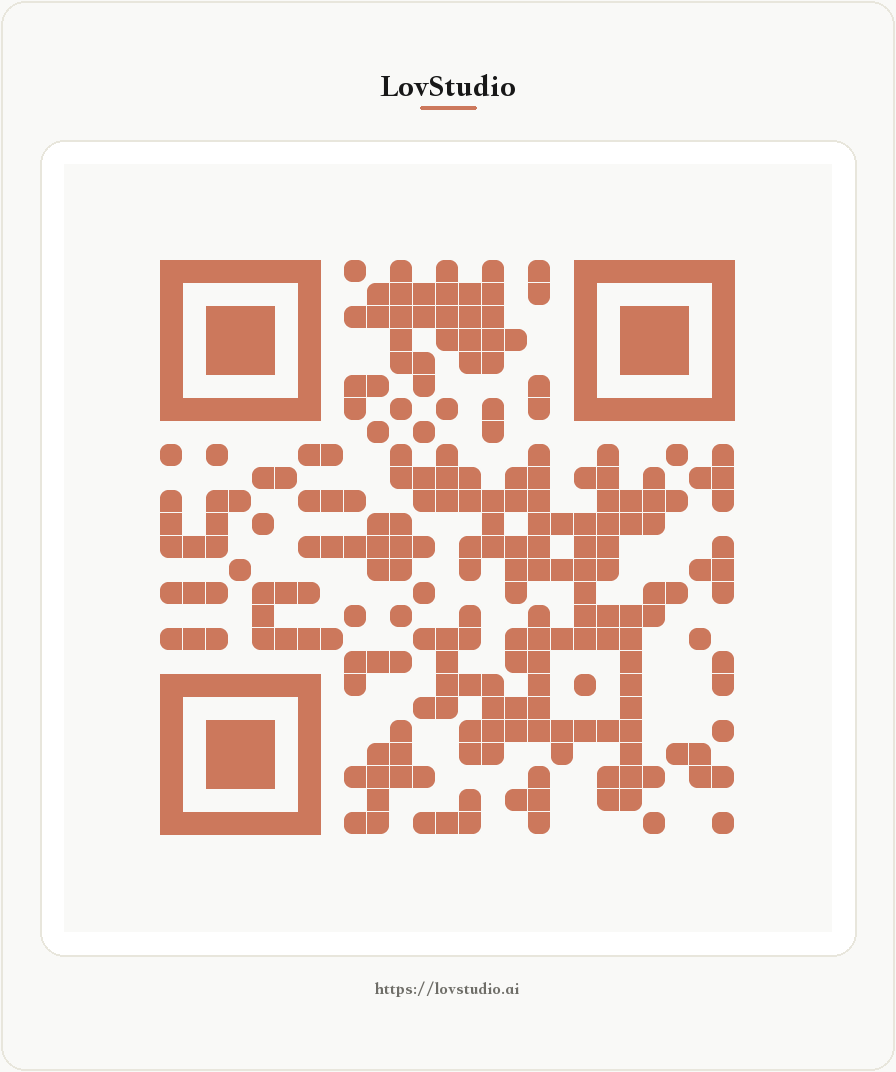
生成带标题和可见链接的陶土暖色海报,并真实扫码回读:

printf '%s' 'https://example.com' | python3 scripts/create_qrcode.py \
  --stdin --poster --title '扫码访问' --show-data \
  --palette clay --shape rounded --error-correction M \
  --output ./qrcode-poster.png --verify scan --json

保存用户直接声明的长期默认值:

python3 scripts/profile_store.py record \
  --skill-id lov-create-qrcode \
  --path records.default_shape \
  --value '"rounded"' --confirm

支持的偏好

  • preference_policy: apply-saved-qr-preferences
  • default_palette: classic、clay、ink、olive
  • default_shape: square、dots、rounded、extra-rounded、 gapped-square、vertical-bars、horizontal-bars
  • default_size: 128–4096
  • default_error_correction: L、M、Q、H
  • default_border: 4–16 modules
  • default_poster、default_show_data: boolean
  • default_title: 仅在用户明确声明为长期默认时保存

原子组合

references/skill-composition.md 记录已检查的相邻能力、图片级交接与 Single Skill 判断。生成二维码是本 Skill 的唯一核心结果;图像装饰、Logo 创作和二维码识别均保持 独立。

可信度卡与用户案例

  • skill-card.yaml / skill-card.md:用途、依赖、风险、输出和维度证据。
  • cases/cases.json:真实 Input → Prompt → Output 案例。
  • pricing-card.yaml:免费边界、价值依据与复评条件。

质量门

python3 scripts/validate_skill.py .
python3 -m unittest discover -s tests -p 'test_*.py'

依赖

  • Python 3.10+
  • qrcode 7.4+、Pillow 9+
  • OpenCV Python 可选,用于 --verify scan
  • PyYAML,仅用于 Skill 源码校验

License

MIT

案例

用过这个 Skill?分享你满意的真实成果,可以手动填写,也可以交给 Agent 整理。

正在读取案例…

SKILL CARD / TRUST RECORD

先看证据,再决定是否使用

Generates privacy-preserving, profile-aware QR code PNG files with no header or footer by default, optionally creates a poster, and verifies the exact UTF-8 input.

CARD v0.1.2

适用场景

Encode a URL or UTF-8 text as a bare QR PNG by default, optionally wrap it in a requested poster, and verify the finished image.

维护方 · LovStudio

输出契约

A non-overwriting PNG plus a receipt that states what was verified without revealing the payload.

Atomic file creation and PNG readback;Minimum four-module quiet zone and contrast gate;Optional exact OpenCV decode equality;SHA-256 for both output and undisclosed payload

依赖与环境

none

lov-branding-consistency for audience-visible poster text

风险与缓解

A low-contrast, damaged, dense, or heavily branded code may look correct but fail to scan. · Enforce contrast and quiet-zone gates, require H correction for Logo use, and support exact OpenCV decode comparison.

+2 项

DIMENSIONS

维度地图

4 维度

Encoding correctness

1

The final image must decode to the exact input, without normalization or silent rewriting.

The default bare-code and optional poster LovStudio URL cases use OpenCV scan comparison and record matching payload hashes in cases/cases.json.

Preference fidelity

1

Explicit request values override durable Skill records, which override shared preferences and safe defaults.

The manifest declares QR-specific Profile fields and automated tests exercise saved shape and palette resolution.

Payload privacy

1

Operational output must not echo or persist the original QR payload unless visible disclosure is explicitly requested.

The CLI receipt contains only payload length and SHA-256; the style contract forbids payload persistence.

Local portability

0.9

Generation works without network, browser, credential, or a sibling Skill.

The core path uses Python, qrcode, and Pillow; OpenCV is isolated to the requested scan-verification level.

VALUE CARD

价值与交付边界

默认只交付二维码码本体,并复用配色、形状、尺寸、纠错级别与 quiet zone 偏好;需要时再生成海报版。

开源免费

免费

直接安装使用

价值锚点

一次使用可省下约 5–20 分钟的参数确认、工具切换、重复排版和扫码返工,并降低载荷泄露风险。

使用边界

包含 PNG 裸码、可选海报、共享 Profile 偏好解析、对比度检查、隐私安全收据和可选 OpenCV 精确扫码比对;不含托管短链、动态跳转、访问分析、远程素材采购或代发布。

维护说明

随二维码库、图像库、扫码兼容性和真实安装反馈复评;保持裸码默认,不把海报框架变成隐式输出。

用户评价与留言

登录后即可留言

分发渠道

在哪里可以获得它

这里标注这个 Skill 在各个平台的真实发布状态;有单品页时,入口会直接打开对应页面。

已发布

GitHub

公开源码、更新记录与 Issue 都在这里。

查看 GitHub
LS已发布

Lovstudio.AI 官网

在 Lovstudio.AI 获取、安装并查看使用说明。

你正在浏览此页面

WB暂未发布

WorkBuddy

该平台的单品页尚未发布。

单品页发布后会在这里出现。

SP暂未发布

支付宝 SkillPay

该平台的单品页尚未发布。

单品页发布后会在这里出现。

搭配使用

需要时,继续补齐这些能力

更多信息

权限与许可

源码可见性
公开仓库,可检查源码、Issue 与更新记录。
数据与权限
不同 Skill 可能读取本地文件、访问网络或调用第三方模型。执行前请检查完整手册中的具体步骤与命令。
许可
MIT
qrcodeimagebrandingprofilelocal-first

NEXT STEP

一个会员,全部 Skill。

回到目录,按结果、证据和依赖继续挑选;开通 VIP 后,每个 Skill 都能直接安装。

返回当前 Skills 结果

手工川 / KEEP MAKING

生命的意义,在于创作。